
Table orders and floor status
Keep service clearer during rush hours with table-wise orders and settlement.
BillRaja helps restaurants, cafes, hotels, cloud kitchens and food counters manage public QR menu links, dish photos, item details, table orders, reservations and GST-ready restaurant bills.
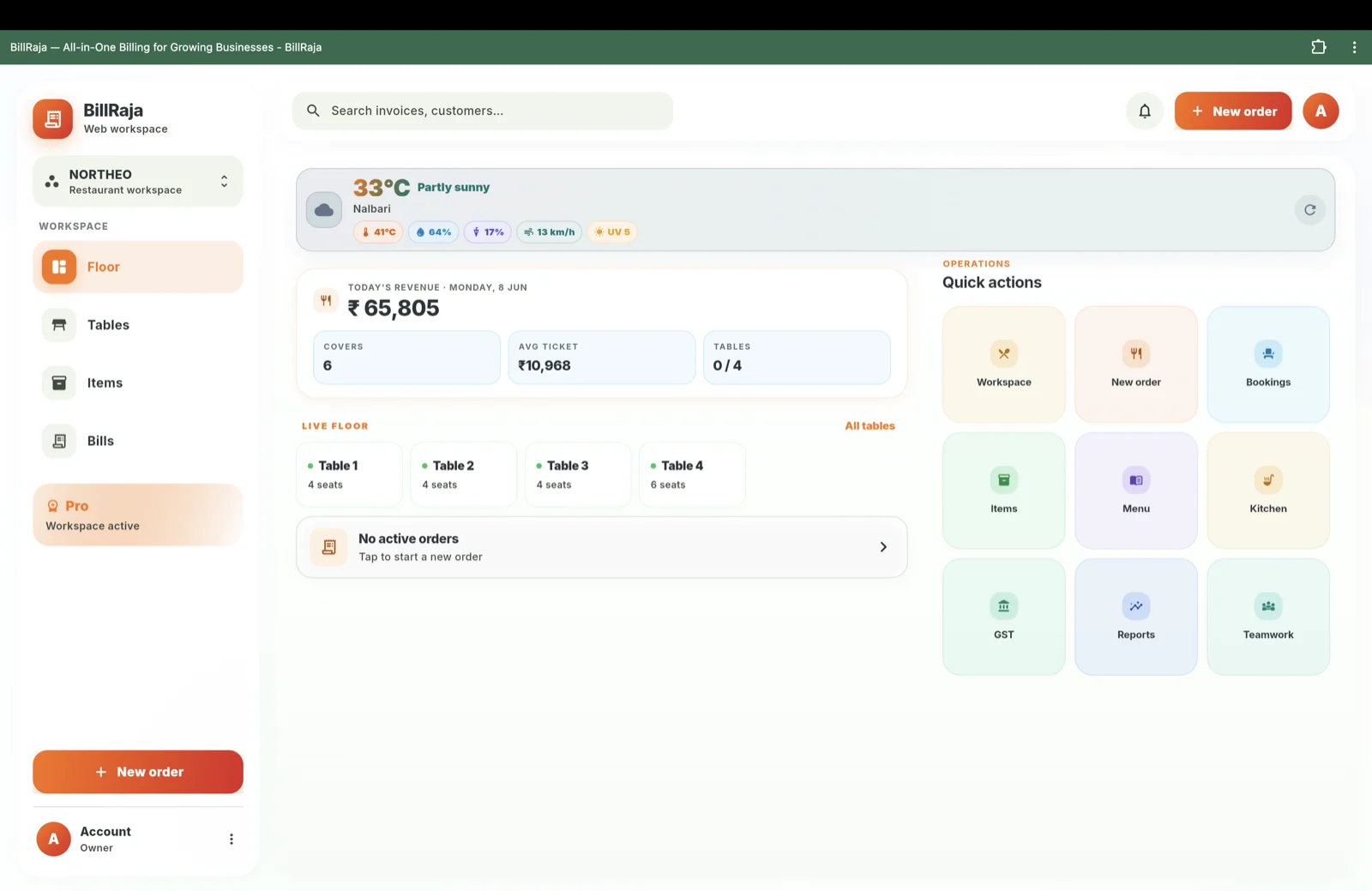
Keep service clearer during rush hours with table-wise orders and settlement.
Give the restaurant a digital presence with a shareable menu link, QR code, dish photos and item details.
Turn restaurant orders into clean GST-ready invoices with full history.
BillRaja brings your menu, tables and billing together. Build a digital menu with dish photos and prices, share a public QR menu link so guests can browse on their phone, take table-wise orders, and settle every table into a clean GST-ready bill. It fits dine-in restaurants, cafes, dhabas, hotel food service and cloud kitchens.
Give your restaurant a modern, digital presence without expensive POS hardware. Customers scan a QR code to see your menu with photos; staff manage table status and orders so service stays smooth during the rush. Reservations capture timing, party size and customer details so the floor is never caught off guard.
Close a table and BillRaja produces a GST-compliant bill with the correct restaurant tax, SAC codes and your business details where needed — saved in customer history and shareable on WhatsApp so guests always have their receipt.
Build the menu with item names, prices, categories, availability, dish photos and details customers understand.
Give customers a restaurant QR menu link while staff keep control of orders, tables and final billing.
Guests browse dishes on their phone before ordering, which makes the restaurant feel more digital and clear.
Staff capture table orders in one place so the floor stays organised during busy hours.
Close the table, record payment and share a clean GST bill that stays in customer history.
One app, three modes. Download on Google Play or open the desktop app and pick the workspace that matches your business.